Instructors
 Instructors
Instructors are the individuals who deliver courses. This refers to teachers, instructors, lecturers, assistant professors, associate professors, and professors. Instructors become part of the active schedule once assigned to a course. Course assignment procedures are explained in the Courses section.
Data Fields
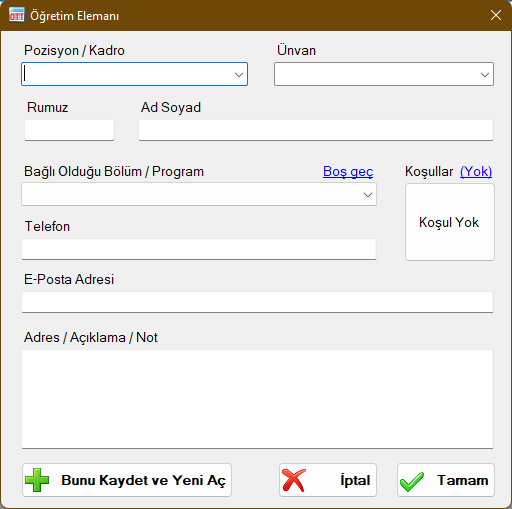
Position / Staff Status
Indicates the employment or appointment position of the instructor. You can select one of the predefined values or type custom text. This field is informational and has no functional effect on schedule calculations; it is displayed on report outputs.
Title
Academic title (e.g., Prof. Dr., Assoc. Prof. Dr., Dr. Lecturer). You can select a predefined title or type a custom one. This field is informational and appears on report outputs.
Full Name
The full first and last name of the instructor without abbreviation. All scheduling operations, assignments, and clash detection checks reference the instructor's full name. If multiple instructors share the exact same name, add a distinguishing initial or title to avoid ambiguity.
Code / Abbreviation (Rumuz)
A short mnemonic code, typically consisting of 2-3 letters (such as initials). Used extensively in schedule preview forms, compact timetable views, and especially for exam proctor duty assignments.
Condition / Availability Constraint
Specifies the specific days and time slots during which the instructor is available or unavailable. When a condition is defined, the scheduling engine prevents courses or exam duties from being placed into unavailable slots. This is particularly useful for adjunct or visiting faculty who can only teach on certain days. Detailed instructions are provided in the Conditions topic.
Associated Department / Program
Indicates the instructor's primary department/program affiliation. Used primarily for menu grouping and sorting during assignments (affiliated instructors appear at the top of selection lists, followed by other instructors, and unassigned instructors at the bottom). For visiting lecturers or common course instructors, this field may be left blank.
Phone
Optional informational contact field; has no effect on scheduling logic.
Optional informational contact field; has no effect on scheduling logic.
Address / Notes
Optional field for custom notes or address details.
Instructor Windows
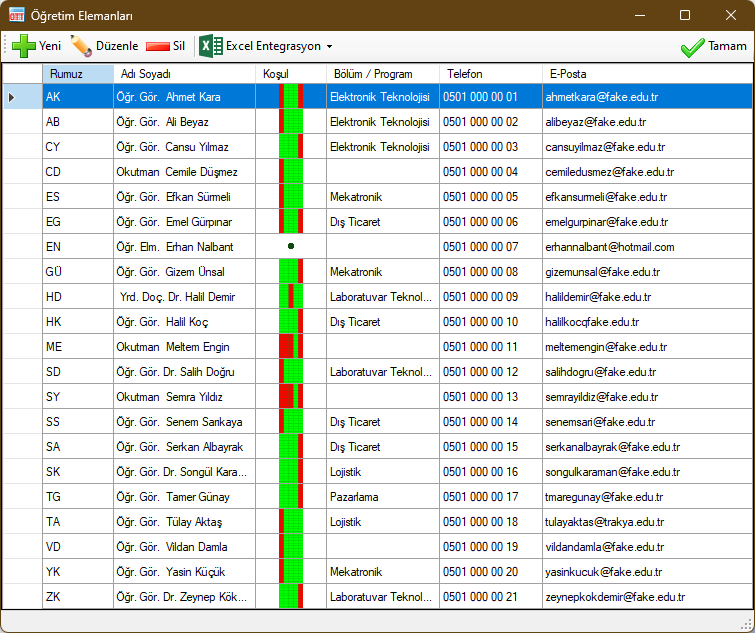
Note: All names and contact details shown in the screenshot are fictional.
 New: Used to add a new Instructor record.
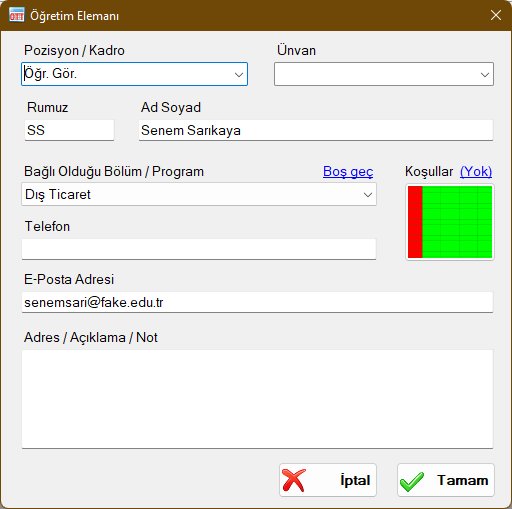
 Edit: Used to modify or update the selected Instructor's details.
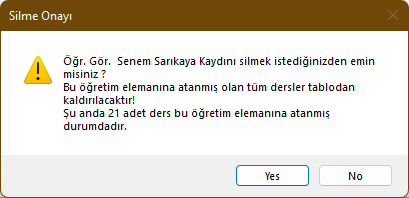
 Delete: Deletes the selected Instructor. If the instructor is currently assigned to courses, a confirmation warning will notify you that those assignments will be cleared. Upon confirmation, the instructor is deleted and their course assignments are unassigned.
 Excel Integration: Enables two-way data exchange with Microsoft Excel™. Export instructor records to Excel or import bulk instructor lists. Microsoft Excel must be installed on your computer.
 Generate Excel Template: Creates an Excel template workbook with dedicated columns for entering instructor information.
 Export Data to Excel: Exports all records visible in this window to Microsoft Excel™.
 Import Data from Excel: Imports instructor records from an Excel template file. Valid rows are added automatically, while rows with invalid data are highlighted with red cell shading and explanation notes.
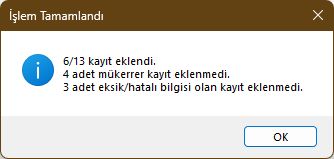
Validation rules for Instructor records:
- Code / Abbreviation cannot be blank
- Full Name cannot be blank
- If Department/Program is specified, it must match an existing valid Department/Program name
Records failing these rules are rejected. Duplicate records matching an existing Code and Full Name are skipped automatically.
Created with the Personal Edition of HelpNDoc: Experience the Power and Ease of Use of a Help Authoring Tool