Courses
 Courses
Courses represent curriculum subjects defined for each Department / Program. Courses are created under departments/programs. In Weekly Class Schedules, course units are generated based on Lecture (Theory) and Lab/Practice (Application) hours—creating as many individual lesson blocks in the placement queue as there are total hours. In Exam Schedules, however, each defined course generates exactly one exam block in the placement queue, irrespective of its lecture or lab hour count.
When courses are viewed, individual course lists are displayed for each class. All courses are listed regardless of schedule semester. When populating a class course list, the software first matches the class's Department / Program with the course's Department / Program. Second, it matches the Class Year with the Course Year. If a course has no assigned Department / Program (i.e., defined as a "Common Course"), it appears under all classes matching its Year. If a course's Year is set to 0 (zero), it appears under all classes of its department regardless of year. For example, if Turkish Language I is a common course for all first-year classes in the Fall semester, leaving its Department blank makes it a common course, causing it to appear under all Year 1 classes across the institution.
Data Fields
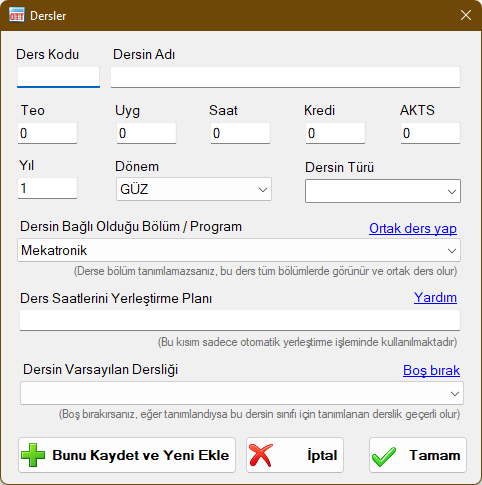
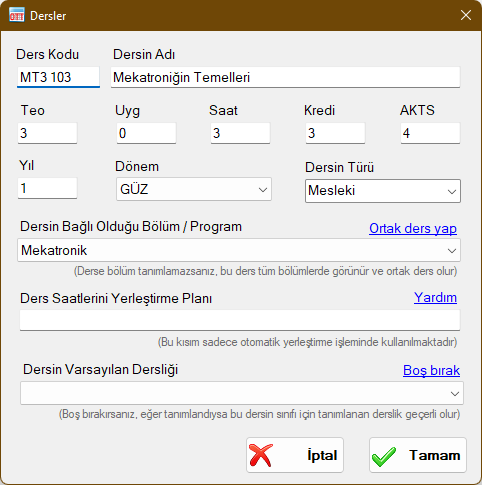
Course Code
Enter the official curriculum course code. Course lists are sorted first by Course Type and then by Course Code.
Course Name
Enter the full name of the curriculum course. If a name is very long, consider using standard abbreviations to enhance report readability. For special course conditions (such as adjustment courses offered for exams only), you can prefix or suffix descriptive tags (e.g., "(ADJ) Banking Transactions" or "Banking Transactions (Legacy)") without affecting scheduling operations.
Lec (Teo)
Lecture / theoretical weekly course hours. Must be an integer matching the curriculum. In schedule preparation, badges distinguish Lecture vs. Lab hours, which also appear on teaching load summary reports.
Lab (Uyg)
Laboratory / practical weekly course hours. Must be an integer matching the curriculum. Appears on teaching load forms and schedule badges.
Total Hours
Total weekly course hours (Lecture + Lab). Automatically updated when Lec and Lab are entered. Can also be manually adjusted if required. The scheduling engine uses Lec and Lab values; Total Hours is used primarily for reports.
Credits
Academic credits calculated automatically as: Credits = Lecture + (Lab / 2). Decimal numbers are permitted. You can manually adjust this value to match custom institutional credit formulas. Used on report outputs.
ECTS (AKTS)
European Credit Transfer System (ECTS) credit value according to curriculum specifications. Used on report outputs.
Year
Specifies which class year(s) this course belongs to (1 for 1st-year classes, 2 for 2nd-year, etc.). Entering 0 (zero) causes the course to appear across all classes regardless of year. Must be an integer.
Semester
Select FALL or SPRING semester. Only courses matching the active schedule semester will be available for scheduling.
Course Type
Course category (e.g., Compulsory, Elective, Vocational). You can select predefined options or enter custom text. Used for list sorting.
Associated Department / Program
Select the department/program to which the course belongs. Leaving this field blank designates the course as a Common Course, allowing it to be scheduled across all classes of matching year.
Time Slot Placement Plan
Specifies allowable day and slot splitting patterns when placing the course onto a weekly schedule:
T: Represents each Lecture (Theory) hour,
U: Represents each Lab / Practical (Application) hour,
+: Point where periods may optionally be split on the same day, or placed consecutively as a block,
-: Point where periods MUST be split on the same day into separate, non-consecutive slots,
*: Point where periods MUST be split across different days.
If no special symbols are used, all course hours form a single continuous block.
For example, a course with 2 Lecture and 2 Lab hours can have patterns such as:
TTUU: 2 lecture and 2 lab hours placed consecutively as a 4-hour block on the same day.
TT+UU: 2 lecture and 2 lab hours placed on the same day, either as a single block or split into two separate 2-hour sessions.
TT*UU: 2 lecture hours as a block on one day, and 2 lab hours as a block on another day.
TT*U+U: 2 lecture hours as a block on one day, and 2 lab hours placed on another day either together or split.
TT*U*U: 2 lecture hours on one day, 1 lab hour on a second day, and 1 lab hour on a third day.
T+T+U+U: All hours on the same day with flexibility to split at any period.
TT-UU: 2 lecture hours and 2 lab hours on the same day, but strictly separated into distinct sessions.
Multiple placement patterns can be entered separated by commas. Placement plans guide automated suggestions but do not prevent manual placement overrides.
Default Classroom
You can assign a dedicated default classroom to a course (e.g., assigning "Computer Lab" to "Computer-Aided Design"). When this course is scheduled, the designated classroom is assigned automatically. A course-level default classroom takes precedence over a class-level default classroom.
Course Visibility Across Classes
How curriculum courses appear under various classes is illustrated below using sample departments and courses:

In this diagram, Year 1 and Year 2 Daytime (I.Ö.) and Evening (II.Ö.) classes are defined under Department A and Department B. Arrows demonstrate which courses populate into each class:
Course A (Fall, Dept A, Year 1) appears in all Year 1 classes of Dept A (both daytime and evening).
Course B (Fall, Dept A, Year 2) appears in all Year 2 classes of Dept A.
Course C (Fall, Dept B, Year 1) appears in all Year 1 classes of Dept B.
Course D (Fall, Dept B, Year 2) appears in all Year 2 classes of Dept B.
Course E (Fall, Common / No Dept, Year 1) appears in all Year 1 classes across ALL departments.
Course F (Fall, Common / No Dept, Year 2) appears in all Year 2 classes across ALL departments.
Course G (Fall, Dept A, Year 0) appears in ALL classes of Dept A regardless of year.
Course H (Fall, Dept B, Year 0) appears in ALL classes of Dept B regardless of year.
Course J (Fall, Common / No Dept, Year 0) appears in ALL classes across ALL departments.
Course Windows
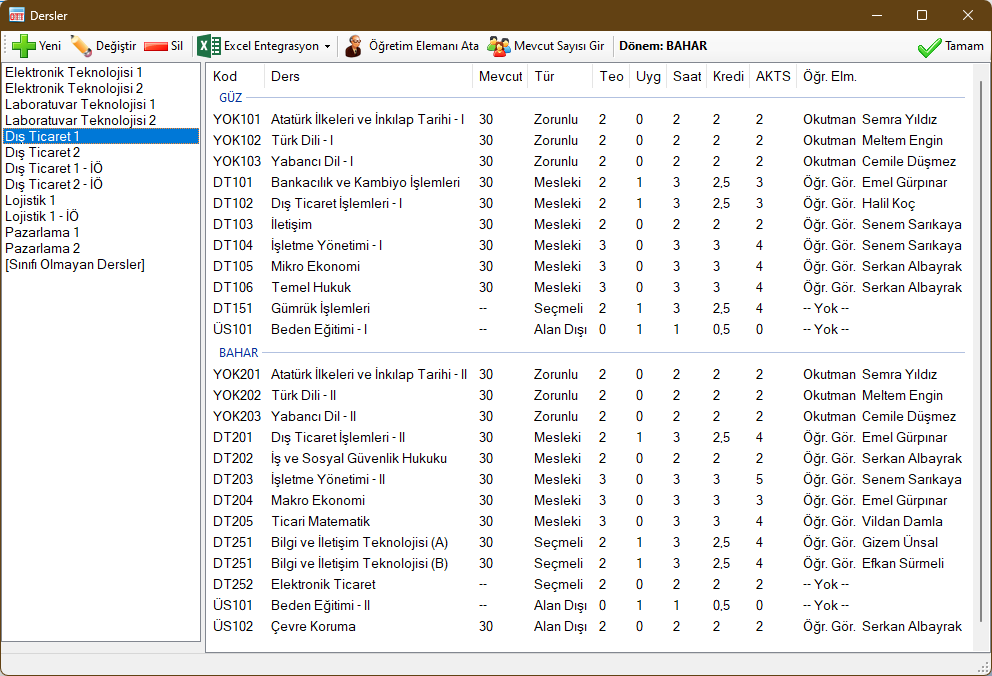
 New: Adds a new course record.
 Edit: Modifies the selected course.
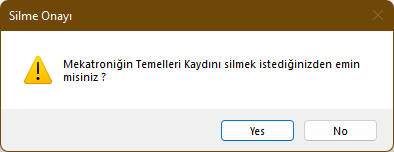
 Delete: Deletes the selected course record.
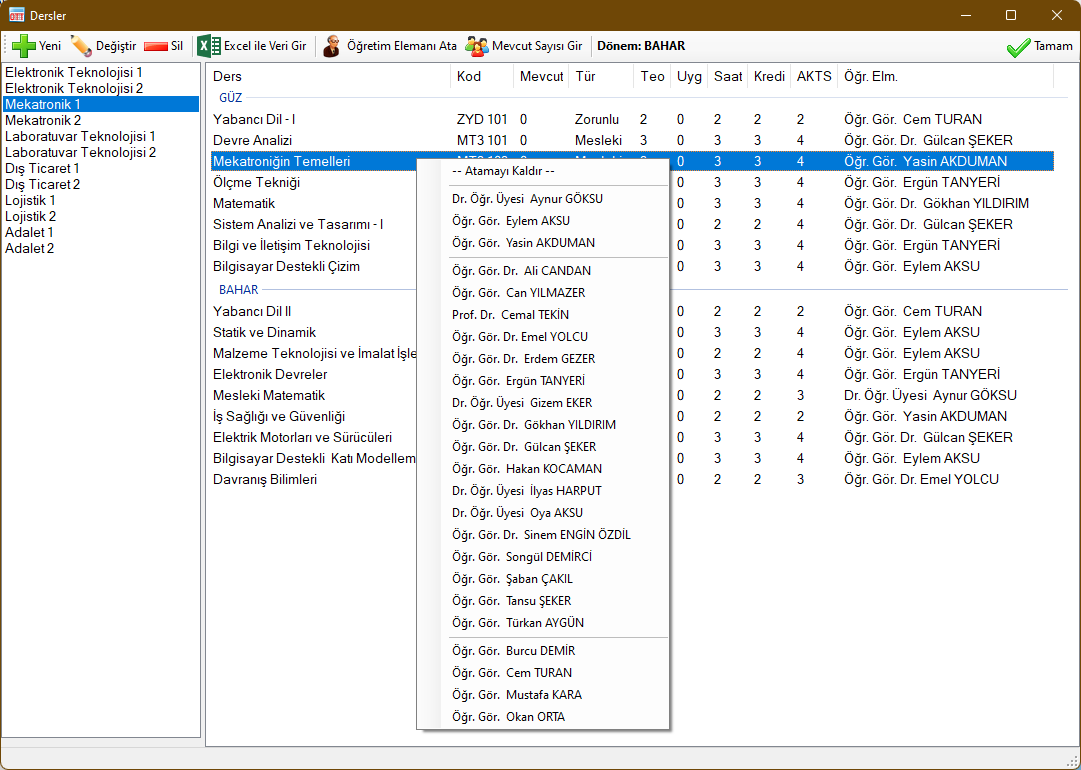
 Assign Instructor: Once an instructor is assigned to a course, it becomes available for timetable placement. Right-click on a course row to display the instructor selection menu. The top option ("Remove Assignment") unassigns the instructor. The menu groups instructors by department affiliation: affiliated instructors appear at the top, unassigned instructors at the bottom, and other instructors in the middle.
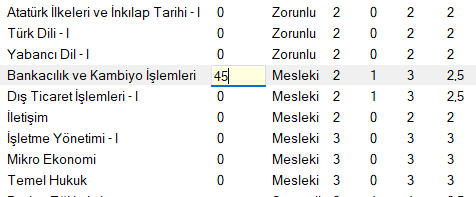
 Enter Student Enrollment: An instructor must be assigned to the course before entering student enrollment counts. Once assigned, select the course row and type the number using the numeric keys, then press Enter. If an instructor assignment is removed, enrollment data is cleared; changing an instructor preserves the enrollment number.
 Excel Integration: Enables two-way data exchange with Microsoft Excel™. Export current course lists or import curriculum data in bulk. Requires Microsoft Excel to be installed.
 Generate Excel Template: Produces an Excel template with structured columns for course details.
 Export Data to Excel: Exports all records visible in this window into Microsoft Excel™.
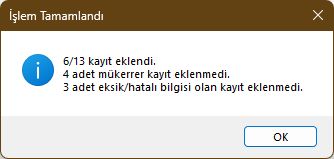
 Import Data from Excel: Imports courses from an Excel workbook matching the template. Rows with invalid entries are highlighted in red with explanatory comment notes.
Validation rules for Course records:
- Department/Program name must be valid or left blank for common courses
- Year must be an integer greater than or equal to zero
- Semester must be a valid term (FALL or SPRING)
- Course Type must be specified
- Course Code cannot be blank
- Course Name cannot be blank
- Lec (Lecture hours) must be an integer
- Lab (Practice hours) must be an integer
- Total Hours must be an integer
- Credits must be a valid number (integer or decimal)
- ECTS must be an integer
Records failing these rules are rejected during import. Duplicate records matching existing Code, Name, Year, Semester, and Department are skipped automatically.
Created with the Personal Edition of HelpNDoc: Add an Extra Layer of Security to Your PDFs with Encryption