Common Courses
 Common Courses
In Weekly Class Schedules, an instructor may teach a shared course simultaneously to multiple classes (for example, combining two cohorts into a single lecture hall for Turkish Language or Foreign Language). Under normal circumstances, scheduling the same instructor at the same day and hour across different classes would trigger a schedule conflict.
To prevent these combined lectures from being flagged as conflicts, courses delivered jointly by the same instructor across different classes must be grouped as "Common Courses". Select the Common Courses option from the Timetable menu to open the grouping dialog shown below.
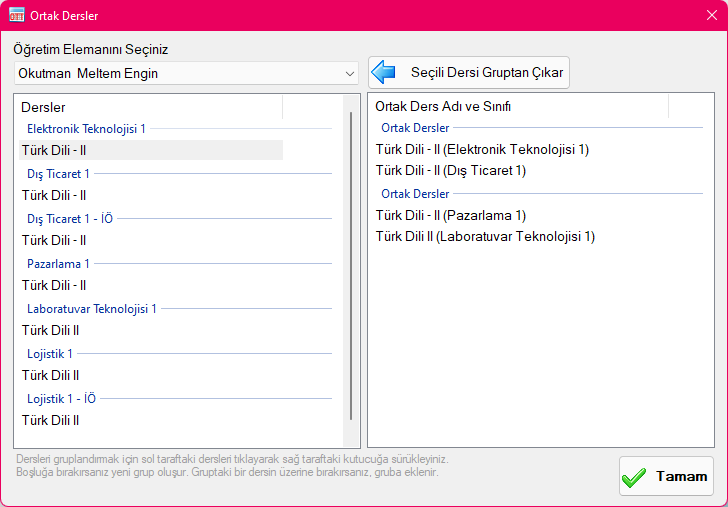
In this window, first select the instructor delivering the combined course. The list of classes and courses taught by that instructor will be displayed. Drag the courses you want to combine from the left list and drop them into the box on the right. Dropping a course into empty space creates a new common course group. Dropping another course directly onto an existing group adds it to that group as a shared Common Course.
Once defined as Common Courses, placing those courses at the same day and time slot across their respective classes will not trigger any clash or conflict warning.
Created with the Personal Edition of HelpNDoc: Effortlessly Spot and Fix Problems in Your Documentation with HelpNDoc's Project Analyzer