Classrooms
 Classrooms
Classrooms are the physical spaces where lectures and examinations are held. In both weekly schedules and exam timetables, classrooms represent a primary resource constraint. The software aims to optimize room allocations according to student enrollment counts and seating capacities. Therefore, each classroom record maintains two capacity values: "Class Capacity" (for weekly class schedules) and "Exam Capacity" (for exam schedules).
Data Fields
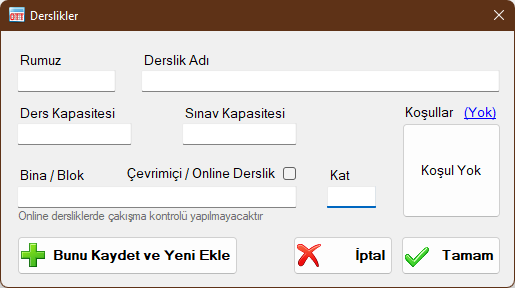
Code / Abbreviation (Rumuz)
A short code, abbreviation, or room number identifying the classroom. Classroom codes are used extensively in schedule views and report outputs (e.g., "LAB1", "COMP-LAB", or "C-101").
Classroom Name
The full name of the classroom (e.g., "Electronics Laboratory"). Used on detailed reports and listings.
Class Capacity
Total standard lecture seating capacity. When student enrollment numbers are entered for courses, assigning a classroom compares the course enrollment against this capacity. If student numbers exceed room capacity, the enrollment badge turns red to alert you to the deficit.
Exam Capacity
Spaced seating capacity for exams. Because exam seating typically requires spacing or alternating seats, exam capacity is usually lower than regular class capacity. During exam scheduling, assigned rooms track student headcounts; exceeding capacity highlights the room occupancy indicator in red.
Online / Virtual Classroom
For courses delivered remotely or online, define a classroom named "Online" or "Virtual" and check this box. On report outputs, courses or exams assigned to this room display an "Online" label. Checking this box also exempts the classroom from room conflict detection, allowing multiple simultaneous courses to share the virtual room without clash warnings.
Note: Even for online rooms, enter a capacity value. If your online platform has no capacity limit, enter a large number (e.g., 9999) to prevent capacity warnings.
Building / Block
If classrooms are situated across different buildings or blocks, enter the building name here. It will be printed alongside the room code on reports. Can be left blank if all rooms are in a single building.
Floor
Floor number within the building. Optional information field.
Condition / Availability Constraint
Specifies days and time slots when the classroom is available or unavailable. When set, the room cannot be assigned to any course or exam during unavailable periods. Ideal for shared labs or facilities reserved for special events.
Classroom Windows
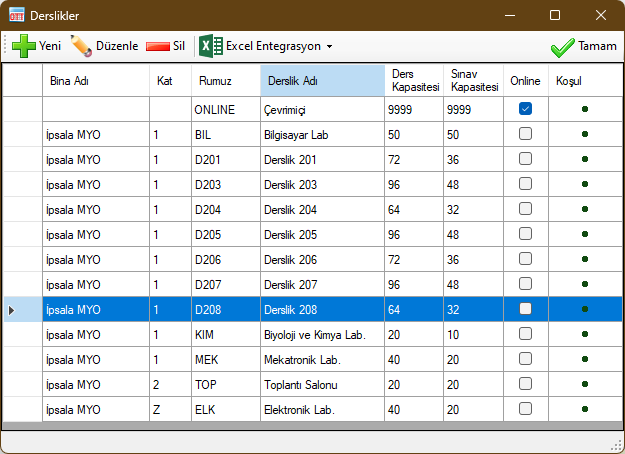
 New: Adds a new classroom record.
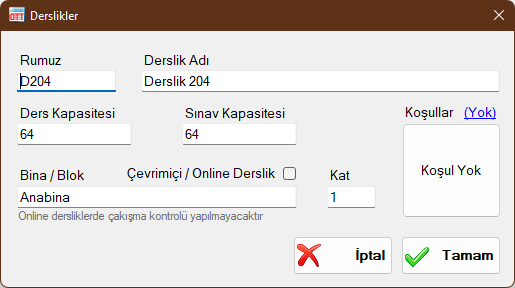
 Edit: Modifies the selected classroom record.
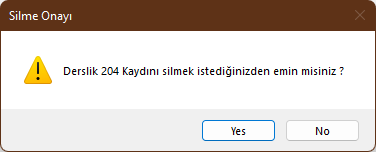
 Delete: Deletes the selected classroom.
 Excel Integration: Enables two-way data exchange with Microsoft Excel™. Export classroom lists to Excel or import bulk classroom records directly. Microsoft Excel must be installed on your computer.
 Generate Excel Template: Produces an Excel template with structured columns for classroom information.
 Export Data to Excel: Exports all records visible in this window to Microsoft Excel™.
 Import Data from Excel: Imports classroom records from an Excel template file. Invalid rows are marked in red with explanatory notes.
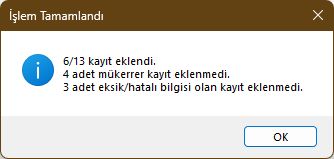
Validation rules for Classroom records:
- Code / Abbreviation cannot be blank
- Classroom Name cannot be blank
- Class Capacity must be an integer
- Exam Capacity must be an integer
- Online / Virtual classroom field must be left blank or contain "Yes" ("Evet")
Records violating these rules are rejected. Duplicate records matching existing Building/Block, Code, and Name are skipped automatically.
Created with the Personal Edition of HelpNDoc: Transform Your Word Document into a Professional eBook with HelpNDoc